
Scheduling
Your week, built for you. Then kept right when it changes.
Set each client's standing schedule once. Canopy builds every week from it, around your rooms, your staff's hours and who's out, and shows you what's at risk before anything is saved.
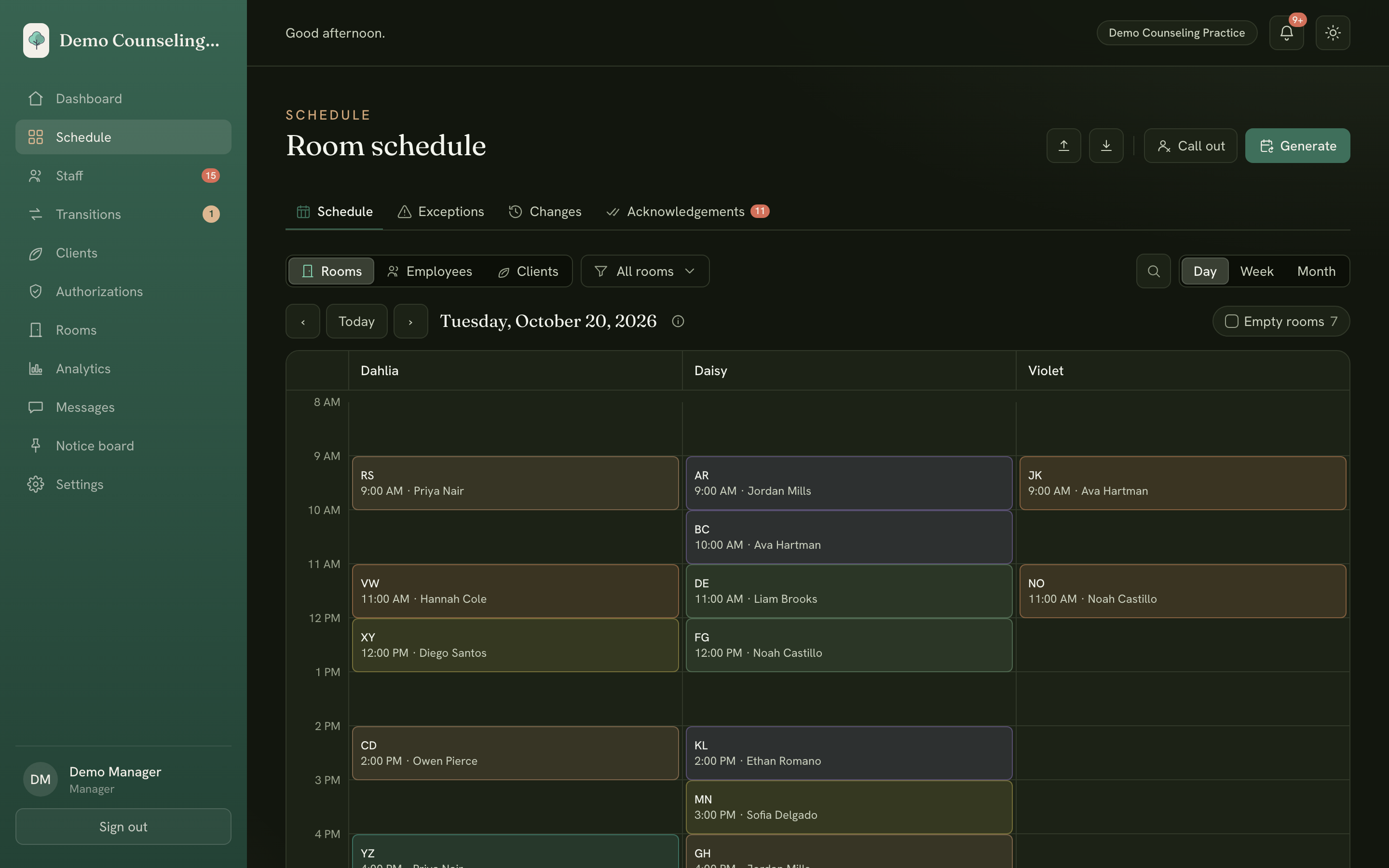
Builds the week
From standing schedule to next week in one click.
You describe how each client is usually seen. Generate week does the placing, and you review it before it's real.
Standing schedules
Each client's usual weekly sessions, with their care team, preferred room and service code. Set once, carried into every week.
Generate week
Builds the whole week around rooms, staff availability, time off and each client's allowed hours.
Preview before it's real
See what's new, what changes and what's removed, and every gap with the reason it couldn't be filled.
Staffing rules checked
Travel time, breaks, lunch, site minimums and promised hours are checked on the week as it would stand.
Your edits stay put
Regenerate as often as you like. Anything changed by hand, covered, cancelled or already started is never rewritten.
Bring your current schedule
Import the spreadsheet you already use to get started, then build and adjust in the app.
When the week changes
Call-outs, covered without the scramble.
Staff get sick and families cancel. Every change is caught, routed to the right people and tracked until it's settled.
Staff call-outs
Mark someone out and see every session it touches. Coverage Finder shows who on the client's team is free to step in.
Client call-outs
Cancel a whole day, specific sessions or part of one, with a reason that's kept on record.
Everyone told at once
Each staffer on a changed session gets a push notification, and you see who has acknowledged it.
Take the time off, or replace it
Staff choose what happens to their hour. Replace requests come to you to fill with office hours, an observation or cover.
One list of loose ends
The exceptions page holds every gap and uncoded session for the week until it's settled.
Promised hours on the books
Track each person's promised weekly hours, so you can see who's running short before payday.
Your week, your way
See it, check it, take it with you.
Rooms, staff or clients
Flip between room, employee and client views by day, week or month.
Check against a schedule
Compare a week you built by hand against what the generator would do, with every difference explained.
Export the week
Download any week as an Excel workbook for payroll, billing or your records.
Authorizations
Track each payer's unit grant against what's actually scheduled, so you see what's left before you over-book.
Calendar feeds
Staff can subscribe to their schedule in Google or Apple Calendar so it's wherever they look.
Change history
Every session keeps a record of who changed what. Restore an earlier version or bring back a deleted session.
See Generate week and a call-out for yourself.
Questions first? Email us and a real person will write back.